


Bucket List Item #219 Complete | Achievement Unlocked | Nerd – Rites of Passage
I’ve considered it a failure of mine that after six years of working as a tech in the computer industry I was never forced to crimp a single Ethernet cable. It was as though I had skipped a fundamental Nerd’s rite of passage. I knew, in my heart, I was living a lie…
Okay, enough of that. I posted on Facebook that I recently hardwired my house with CAT6 and enough people showed interest that I decided it was blog post worthy. So here is a short synopsis of how my wife and I went about it. There were some missteps, things I would have done differently if it hadn’t been my first rodeo, I’ll list them at the end.
Full Disclosure: This was relatively inexpensive undertaking, came in under $200, but my wife and I have a 100 year old house that we have been renovating slowly over the last few years. So, we do have a rather complete selection of power tools on hand to accomplish these sorts of projects. You may find it a more expensive undertaking if you need to buy tools..
Case and point, here are some pictures of our current big project. We are building a nursery for the next heir to the Hodges’ thrown.


This may seem a pointless addition to the conversation –admittedly I did want to show off how well its coming together so far — but if you need to patch drywall or retexture a surface after you install your Ethernet panels (which we did in one case) you might find that some experience with this will be handy. Moving on…
THE PROBLEM – THE SOLUTION
Since moving in to this house I’ve gone through three wireless routers and an extender. No matter what I did, there was something about this location, the walls, or perhaps the placement of our furnace, that caused perpetual signal issues. I tried three different router locations, wall mounting etc. I even went nuclear at one point and bought ASUS RT-AC87U Wireless-AC2400 Dual Band Gigabit Router.


In my mind, this thing should have been up to the task of providing internet to our house as well as the three closest neighbors. Alas, again I was foiled. I could not blame the hardware. Not only is the router highly rated, but it performed excellently as long as there was reasonable line of sight.
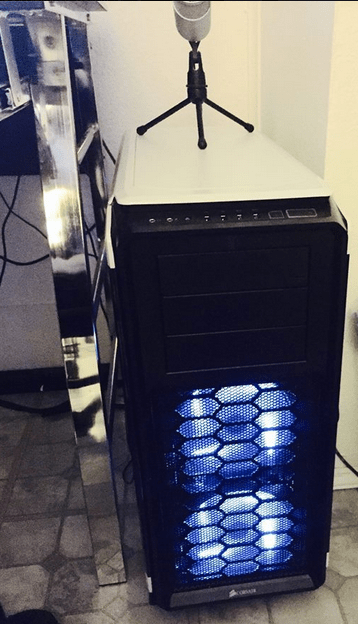
When I built my new box, I decided not to even bother installing wifi. Just ran a cable from the router straight to the Ethernet port. It had been so long since I hardwired into anything I was blown away at the performance increase. Suddenly I was getting 110 mb/s D/L and 11 mb/s U/L on a consistent basis. Knowing this, I could not in good conscience leave my wife and son to the whims of the wifi.
So, I slapped the router and and the modem into the same corner of the house and dropped a cable down two stories into the basement.

Admittedly, the biggest hurdle you’ll need to get over psychologically is putting a hole in your wall.
Full Disclosure, my wife lacks whatever gene causes the fear response to such things… probably because she knows she can fix any damage she does. Now that I’ve seen it done I wouldn’t be hesitant to try it myself, but I thought that I should be honest about my cowardice as to not be a hypocrite.
So, Amanda the fearless took a drill to the wall, then a jig saw. Then we drilled a hole through the floor and used a metal fishing line to send the wire down into the basement. Probably a good time for the tool picture:

In short:
- Cut into wall with the drill bit I marked ‘initial.’
- Put the Electric Box Outlet over the wall and use it to draw the box you want to cut. Use your initial hole as the first corner.
- Cut the square out, using a drywall saw or a jigsaw. (not shown)
- With square hole now exposed in wall, use long (ass) drill bit to cut a hole into the floor between walls
- Run wall fishing wire through wall hole, and inner floor hole to otherside (ie wherever you want the wire to go)
- Go find other end of Fishing Wire, attach your cable and pull it back through.
- Give yourself lots of slack. Cut the cable and wire to CAT6 Wall Jack.
- Use Mounting box, on inner wall if the port has nothing to screw into.

Here is a case in point on the drywall issue. This was the first cut we put into the wall and it didn’t go so well. My wife patched the drywall, but we still need to texture and repaint around it, luckily it was the only port that had such problems.
We also have the advantage, for the time being, of an unfinished basement. Routing didn’t take long under the house because I wasn’t that concerned with aesthetics. Bought an ASUS 8 port switch. Used Toolkit to crimp the other end of my CAT6 Cable. Used wire mounts to route though the basement.
Note, I am not going to cover how to crimp or wire jacks because youtube has about a thousand tutorials that would do a much better job.


Things I did wrong.
- I ran one wire outside of the house, if I had known I was going to do this, I would of bought a pre-made CAT6S cable. (s – shielded)
- I didn’t purchase the rubber support ends for the cables, (the ends the attach to the switch and provide supports) later learned that the air they keep out might be a problem for future Todd.